

Graphics Card (GPU) Guide: Choosing the Right Card for Your Gaming Needs
Your graphics card determines gaming performance, visual quality, and frame rates. Choosing wisely ensures smooth gameplay and longevity. The good news: GPU selection is straightforward...

Your graphics card determines gaming performance, visual quality, and frame rates. Choosing wisely ensures smooth gameplay and longevity. The good news: GPU selection is straightforward once you know your target resolution and performance goals.
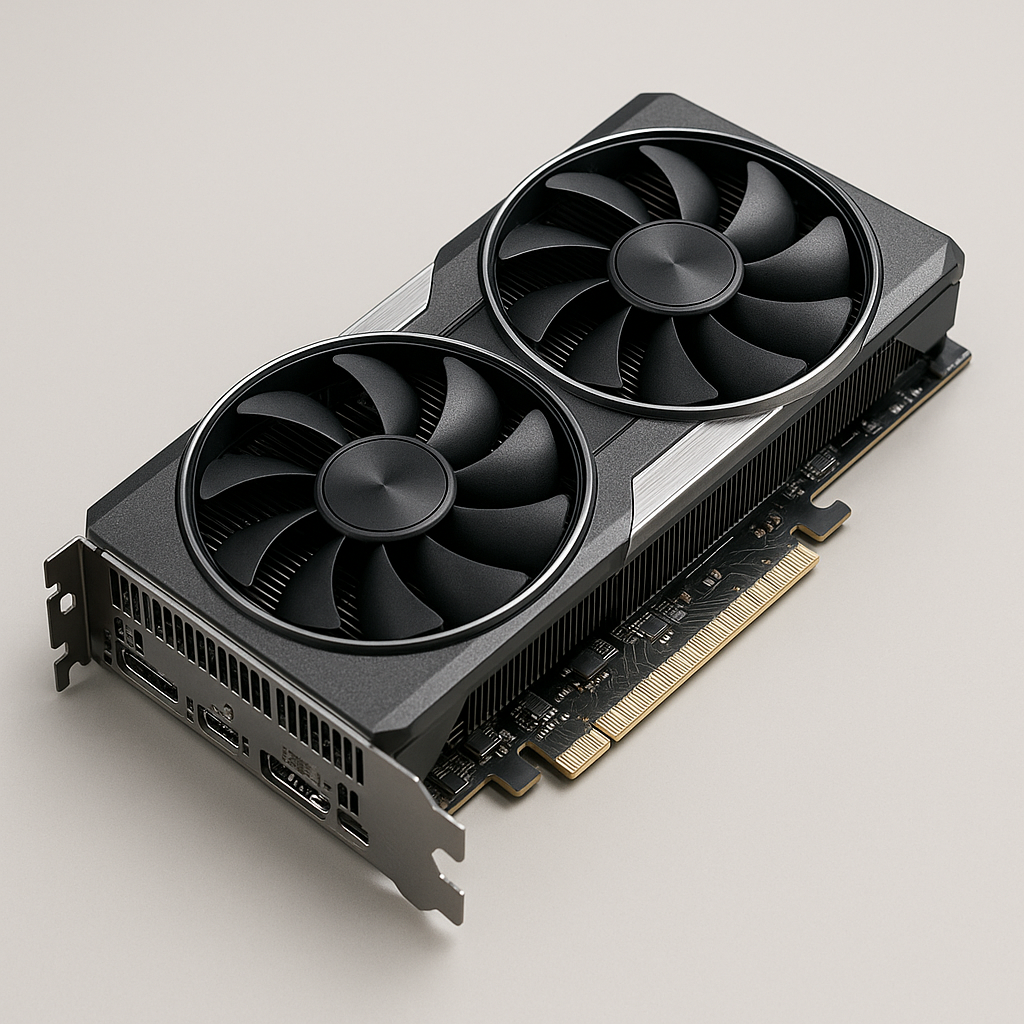
Understanding GPU Performance Tiers
GPU choice depends primarily on resolution and refresh rate, not on arbitrary specifications. Match your GPU to your monitor, not to your budget alone.
1080p Gaming (1920×1080)
For high-detail gaming at 60+ FPS on 1080p displays, the NVIDIA RTX 5060 or AMD RX 9060 XT represent the practical entry point. These cards handle modern games beautifully with high settings and consistent frame rates. They’re suitable for esports titles, older games at maximum detail, and competitive gaming where frame rates matter more than visual perfection.
1440p Gaming (2560×1440)
The current sweet spot for gaming resolution. NVIDIA RTX 5070 Ti or AMD RX 9070 XT deliver excellent performance with high detail settings. These cards handle demanding modern games smoothly at 60-144 FPS depending on settings. Recommended for single-monitor gaming where visual quality and performance balance is important.
4K Gaming (3840×2160)
Demands serious hardware. The NVIDIA RTX 5090 and AMD RX 7900 XTX represent the top tier, delivering playable 4K gaming at 60+ FPS with high detail. These are premium purchases for enthusiasts prioritizing maximum visual quality over cost. Expect to adjust settings or use upscaling technologies (discussed below) for consistent performance.
Multi-Monitor Gaming
Three or more monitors significantly increase GPU demands. Plan for high-end cards (RTX 5070 Ti+) to maintain reasonable frame rates across multiple displays.
GPU Specifications Explained
VRAM (Video Memory)
The dedicated memory on your GPU storing textures, models, and rendering data.
4-6GB VRAM – Minimum for 1080p gaming. Increasingly tight for modern AAA titles.
8GB VRAM – Comfortable for 1440p gaming with high detail settings. Current practical standard.
12GB+ VRAM – Beneficial for 4K gaming, professional workloads (3D rendering, AI training), and future-proofing.
Higher VRAM doesn’t make a slow card fast, but insufficient VRAM can cause stuttering when textures don’t fit in memory.
Memory Type
Modern GPUs use GDDR6 or GDDR6X memory. Higher bandwidth improves data throughput. Manufacturers list bandwidth in GB/s (gigabytes per second) higher is better, but real-world differences are marginal for gaming.
Compute Units / Cores
The processing cores handling rendering calculations. More cores generally mean better performance, but architecture efficiency matters equally. NVIDIA’s CUDA cores and AMD’s Stream Processors handle work slightly differently benchmarks matter more than core count.
Clock Speed
Base and boost frequencies measured in MHz or GHz. Higher clocks mean faster processing. However, architecture efficiency varies between generations never compare raw clock speeds across different GPU families. A newer, lower-clocked card can outperform an older, higher-clocked one.
Key Technologies for Modern Gaming
Ray Tracing
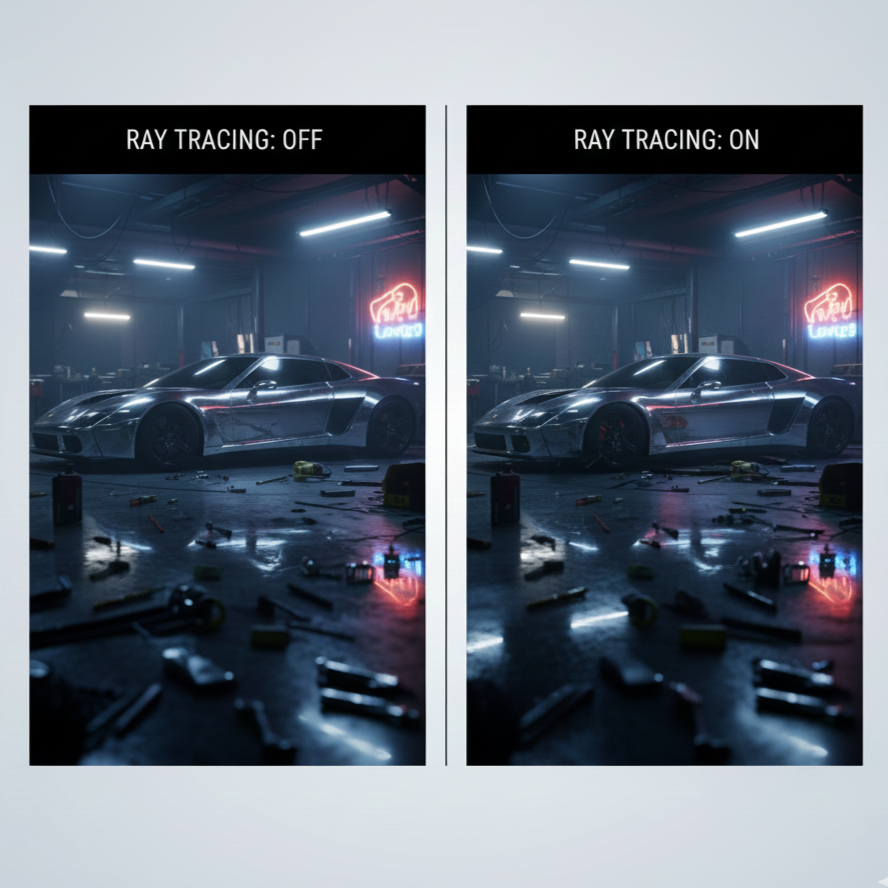
Hardware dedicated to realistic lighting simulation. Bouncing light rays instead of pre-calculated lighting produces photorealistic visuals. Performance cost is significant ray tracing often requires lowering other settings or using upscaling (see below). Supported by all modern NVIDIA and AMD gaming GPUs.
NVIDIA DLSS (Deep Learning Super Sampling)
NVIDIA’s AI-powered upscaling technology that renders at lower resolution then intelligently upscales to your target resolution. Benefits are massive:
30-50% performance improvement
Minimal visible quality loss
Exclusive to NVIDIA RTX cards
DLSS versions: DLSS 2 (previous generation), DLSS 3 (current standard with frame generation on RTX 40/50 series).
AMD FidelityFX Super Resolution (FSR)
AMD’s upscaling alternative with broader compatibility. Works on AMD RDNA cards and even some NVIDIA cards. Performance improvements similar to DLSS (20-40% depending on settings), though visual quality perception varies by implementation.
Practical Impact: Upscaling technologies are game-changers for high-resolution gaming. A mid-range GPU with upscaling can deliver performance approaching higher-tier cards at native resolution.
GPU Architecture Generations
Modern gaming GPUs use relatively recent architectures. Older architectures (4+ years old) lack ray tracing hardware and upscaling support not recommended for new builds.
NVIDIA Current Architecture (2024-2025):
RTX 50-series – Latest generation, cutting-edge efficiency and performance
RTX 40-series – Previous generation, excellent value, widely available
AMD Current Architecture (2024-2025):
RDNA 4 – Latest AMD gaming GPUs, competing with RTX 50-series
RDNA 3 – Previous generation (RX 7900 XTX, etc.), strong value
Avoid anything older than these unless buying used and specifically budget-conscious.
Choosing Your Specific GPU Model
Once you’ve decided on a GPU tier (RTX 5060 vs 5070 Ti, etc.), you’ll find multiple versions from different manufacturers: NVIDIA reference design, ASUS, MSI, Gigabyte, EVGA, and more.
Reference vs Custom Models:
Reference Design – AMD or NVIDIA’s official board layout, standard cooler, typical clock speeds
Custom Models – Manufacturer-modified board, custom cooling solution, sometimes pre-overclocked
When Custom Models Matter:
Custom coolers genuinely help in extremely hot environments (above 35°C ambient). Better thermal design can lower temps by 5-10°C, enabling quieter operation. Pre-overclocked models offer marginal performance gains (2-5%) at premium cost rarely worth the extra expense.
Practical Advice: Buy whichever model offers best availability and warranty support. Performance differences between reference and custom models of the same GPU are negligible. Visual aesthetics (RGB lighting, brand preference) matter more than technical differences.
Understanding GPU Power Requirements
Connector Types:
Modern high-end GPUs require PCIe power connectors in addition to PCIe slot power:
6-pin connectors (75W each)
8-pin connectors (150W each)
12-pin connectors (up to 500W on latest generation)
The PCIe x16 slot itself provides 75W. Most modern GPUs require supplemental power. Your power supply must include appropriate connectors verify before purchasing.
Power Supply Headroom:
A GPU’s TDP (Thermal Design Power) indicates typical power consumption. Your PSU should provide 100-150W headroom above total system power draw. A 650W PSU suits most mid-range builds; 750W+ for high-end GPUs.
PCIe Slot Considerations
Slot Requirements:
Most GPUs use the x16 (16-lane) slot. Some cards are physically wide and occupy space equivalent to two slots, blocking adjacent PCIe x1 slots. Verify your motherboard layout can accommodate your chosen GPU without blocking expansion you need.
PCIe Generation Compatibility:
Modern GPUs support PCIe 3.0, 4.0, or 5.0. Older motherboards with PCIe 3.0 work fine GPUs automatically negotiate compatible speed. No performance issues mixing newer GPUs with older PCIe generations, though theoretical bandwidth decreases.
Multi-GPU Setups (SLI / Crossfire)
Should you buy two mid-range cards instead of one high-end card?
No. Modern gaming landscape heavily favors single powerful GPUs:
Driver support declining – SLI/Crossfire support is being discontinued
Performance inconsistent – Not all games scale well with two GPUs
Power consumption higher – Two cards draw more total power than one equivalent card
Complexity increased – Troubleshooting two-GPU setups is significantly harder
Single powerful cards are always the practical choice today
VRAM for Different Use Cases
Gaming:
1080p: 4-6GB minimum
1440p: 8GB comfortable, 10-12GB recommended
4K: 12GB+ recommended
Professional Work (3D Rendering, Video Editing):
Entry-level: 12GB
Serious work: 24GB+
High-end: 48GB+
AI/Machine Learning:
24GB minimum
48GB+ for serious training
Most gamers need 8-12GB. Professional workstations and AI applications demand significantly more.
Custom Heatsinks and Overclocking
Some manufacturers include premium heatsinks claiming superior cooling. In practice, stock coolers on quality cards handle cooling adequately. Premium heatsinks primarily enable:
Quieter operation – Better thermal design runs at lower fan speeds
Modest overclocking headroom – Cooler temps allow slightly higher clocks
For standard use, stock cooling is sufficient. Only pursue custom coolers if you specifically overclock or live in extremely hot environments.
NVIDIA vs AMD: Which Should You Choose?
Both manufacturers produce excellent gaming GPUs. The practical difference:
NVIDIA Strengths:
Superior DLSS upscaling technology (slightly better visual quality)
Broader game optimization
Better driver support historically
CUDA support for professional software
AMD Strengths:
Competitive performance at lower cost
FSR upscaling works on broader hardware
Good driver support improving consistently
RDNA architecture efficient
For pure gaming, either platform is excellent. DLSS has slight perceived quality advantage, but FSR is catching up. Choose based on availability, warranty support, and manufacturer you prefer.